Quick Punch — draft issues at punch-walk speed
Cutting the intake time for a single issue in Oracle Prime Field from three-plus minutes down to a few seconds, without losing anything QA needed later.
- Role
- Senior Product Designer — flows, wireframes, field research
- Year
- 2016 — 2017
- Platform
- iOS, Android, MS Windows Surface, Web
- Industry
- Construction Technology · Field Operations
Latista's field suite already ran on large commercial jobs across iOS, Android, Surface, and the web. It handled issues, RFIs, material tracking, and the rest of the field menu. In mid-2016 Oracle's CEGBU division acquired Latista and rebranded it as Oracle Prime Field. The problem was speed. On a real punch walk (GC, owner, and a note-taker moving station to station) the existing issue flow ate three to ten minutes per item. Quick Punch was a new capture flow designed for the note-taker to keep up with the walk.
Latista's field suite already ran on large commercial jobs across iOS, Android, Surface, and the web. It handled issues, RFIs, and material tracking. In mid-2016 Oracle's CEGBU division acquired Latista and rebranded it as Oracle Prime Field.
My work spanned the acquisition. I was already deep in the product on the Latista side (Foreman App, Inspector tracking, and this one), and Oracle asked me to carry the field-operations flows through the transition without breaking what worked.
Quick Punch was a credibility problem. If the tool couldn't keep up with a real punch walk, the note-taker fell back to a spreadsheet on their iPad. Once that happens, they don't come back to the app.
What was broken.
The old issue flow was flexible in a way that hurt the field team. Every field showed up at intake: type, RFI status, materials, room-level location, photos, tags, priority, assignee. That was useful in the office and impossible to use during a walk.
On a real punch walk, the GC and owner move at walking pace. The superintendent calls out an issue ("wrong sconce, 12-B conference room") and the note-taker has maybe eight seconds before the crew is at the next door. Anything longer and issues get dropped or batched wrong.
QA on the back end still needed every one of those fields eventually. The design problem was to defer them rather than remove them. Capture the minimum in seconds, let the office fill in the rest later, and keep the record correct.
Workflow first — I walked with the crew before redesigning anything
I went on real punch walks with GCs and note-takers. That is where I learned the flow the interface had to match. The superintendent calls out an issue, the note-taker snaps a photo and a rough location, the crew is already moving, and someone in the office cleans up the record later that day. Every screen in Quick Punch answers a step in that flow.
The harder part was resisting the urge to make the field capture "correct" in the office sense. Getting a record complete is the office's job. The field's job is to not miss anything. Once I mapped it that way, the design became straightforward.
- 01
Punch walk starts
The GC, owner, subcontractors, and note-taker walk a floor together. Pace is roughly ten to fifteen seconds per station. There is no time to open a full form.
GC, Owner, Note-taker - 02
Note-taker opens Quick Punch
One tap from the home screen opens the capture surface with the camera already live. Location auto-fills from the last-visited zone on the plan.
Note-taker - 03
Snap and shorthand
The note-taker photographs the defect and types or dictates a shorthand line ("wrong sconce 12B") using construction abbreviations the tool already recognizes.
Note-taker - 04
Save as draft, keep walking
The issue saves as a draft with a photo, timestamp, location, and shorthand text. There is no modal and no confirmation, because the note-taker is already looking at the next station.
Note-taker + System - 05
Reconcile in the trailer
Back in the trailer, the note-taker or a QA lead opens the draft queue. Every issue from the walk is waiting there. They add type, assignee, priority, and RFI status in a bulk-edit view.
QA Lead - 06
Promote to full issue
Once the draft is reconciled it becomes a real Prime Field issue. Assignees get notified. The resolution clock starts. The record is complete and audit-ready.
System
From tangled to shipped.
Walked with real note-takers on real punch walks
I stopped guessing at the field workflow and went to sites. Two patterns became obvious. First, nobody types full sentences on a Surface while walking. They use construction shorthand ("WS12B" for "wrong sconce, room 12B") that everyone on the crew already reads. Second, the failure mode wasn't a bad issue, it was a missed issue. On a fast walk, speed matters more than completeness.
Split field capture from office reconciliation
Once I saw the walk-then-reconcile pattern, I redrew the flow as two stages. In the field: a photo, a shorthand line, an auto-filled location, and a save in one tap. In the office: a bulk-edit view where a QA lead promotes drafts to full issues with every field the audit trail needs. That split resolved the form-fatigue problem without losing any of the downstream data.
One screen designed for seconds, one designed for minutes
The field screen was stripped down: camera first, one primary action, shorthand text field, no additional chrome. The office view was allowed to be dense: table, filters, bulk-edit, keyboard shortcuts. Two different design problems, two different screens, the same underlying record.
Tested it on a real punch walk
On the first real-site test, the note-taker made it through the walk without dropping an issue. Reconciliation that afternoon confirmed the office side worked. Two changes came out of the ride-along: dictation as a backup to shorthand for wet or cold weather, and a plan-view thumbnail on drafts so QA could spot-check location before promotion.
The moves that worked.
Camera-first field capture
Opening Quick Punch brings up the camera immediately. Tap to shoot, drop in shorthand, save. The target intake time is around four seconds and it holds under real conditions.
Shorthand text with a real dictionary
The tool recognizes construction abbreviations (WS, RFI, MOB, PT) that crews already use on paper. There is no new vocabulary to learn.
Auto-location from the plan
The Surface tracks which zone the walk is in, and the draft's location auto-fills from the last-visited pin on the floor plan. The note-taker can override it, but that rarely comes up.
Draft queue for office reconciliation
A bulk-edit view lets a QA lead take forty raw drafts and turn them into complete issues in around twenty minutes. This is where the old form's flexibility finally became useful, after the field flow was done with it.
One tap to promote
Once the required fields are filled in, one tap turns a draft into a real issue. Assignees get notified, SLA clocks start, and no data is lost between the field capture and the promoted record.
Screens and scraps.
What shipped. What changed.
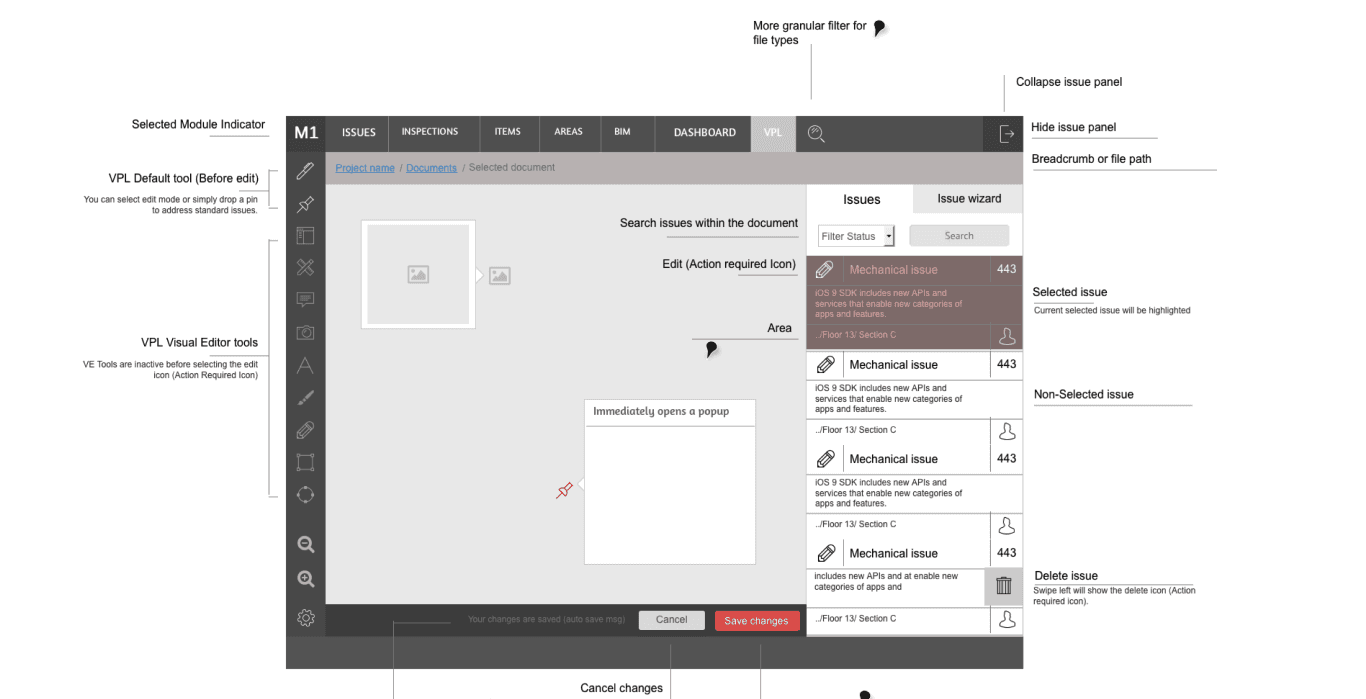
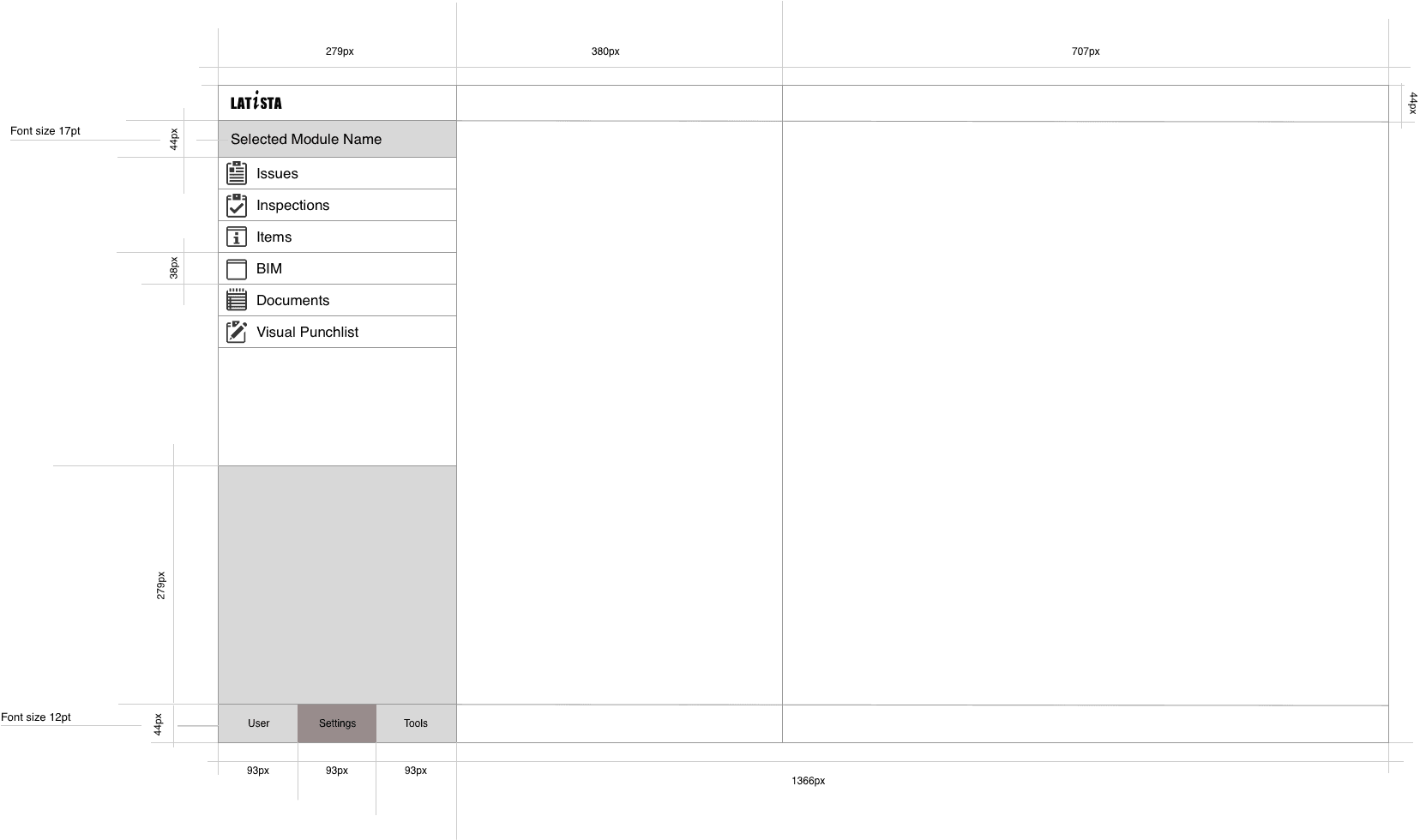
What shipped: Quick Punch as a first-class capture flow inside Oracle Prime Field, sitting alongside the standard issue and RFI flows. Note-takers kept pace with real punch walks without dropping items. Reconciliation happened in the trailer or the office later that day, with the full data model QA needed.
I don't have public post-launch numbers to cite. Oracle folded reporting into their internal channels after the acquisition. What I can say: on the sites where I ran ride-alongs, no issue got dropped during a walk once Quick Punch was in the note-taker's hands.
“The lesson I take from this project is that field research doesn't just inform the design, it changes which problem you're solving. I wouldn't have found the shorthand pattern or the walk-then-reconcile split from a whiteboard. Without the ride-alongs I would have shipped a slightly faster version of the same broken form.”
Daily Reports — the legal record of a construction day
Designing the missing daily-log module inside Oracle Prime Field, built for the site super at 5:30pm on a Friday and the claims attorney reading it two years later.